Our Solution: From Upload to Gate
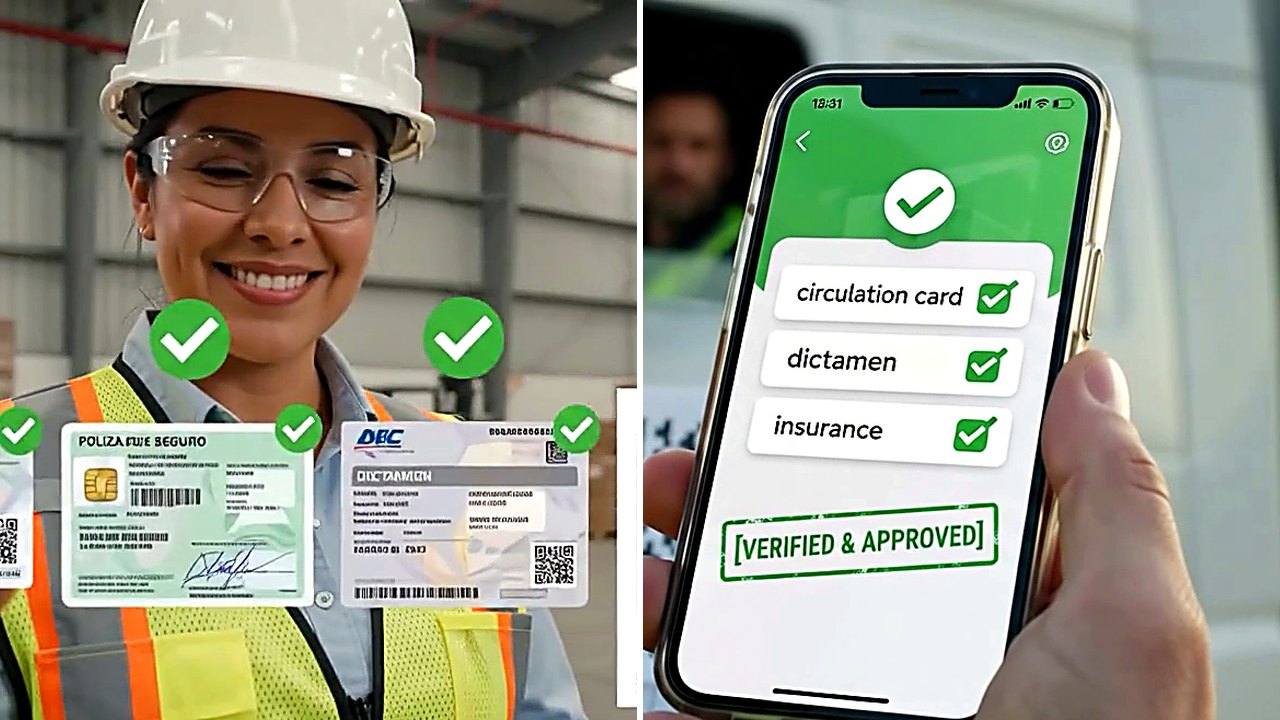
One narrow job, done all the way through: DocVigia takes a document from the moment it arrives to the moment a guard decides whether the truck carrying it may leave — and keeps the record that proves what was valid on any given date.
The four steps a document travels
"Scan a QR code and get a verdict" describes the last step. It is trustworthy because of the three before it — what got uploaded, how it was read, and which rule it was checked against.
1. Capture
A photo from a phone, a ZIP of scans, a spreadsheet, or a SharePoint library. AI/OCR reads the fields a document-type-aware model expects — a póliza and a tarjeta de circulación are read differently, because they are laid out differently.
2. Confirm
The extracted expiry date, plate and policy number are shown for a person to accept or correct — never saved silently. A wrong date read with confidence is worse than no date.
3. File against the matrix
The document lands against a unit or a driver, versioned rather than overwritten. The requirement matrix already knows whether that unit's type and trip type actually need it — a local run and a cross-border run ask for different sets.
4. Scan at the gate
A QR sticker on the unit, a phone in the guard's hand. The scan checks tractor, trailer and driver together against the required set and answers GO or NO-GO — naming the exact document and date behind a NO-GO.
The three pieces
A matrix, an owner for every alert, and a gate that checks — three parts working as one answer to the question a checkpoint asks: does this exact unit, today, for this trip, have everything it is required to carry?
- A matrix that knows what is required. Document types, unit types and trip types define the exact required set — so "compliant" means the full set, not just the parts somebody remembered to check. It is editable rows, not fixed logic.
- Alerts with an owner and an escalation. From 60 days out to the day it expires, routed to the department that owns that renewal — legal, HR, fleet or admin — and escalated when nothing happens, instead of repeating into an inbox nobody reads.
- A gate that checks. The last line, in case an alert was missed: a scan that answers GO or NO-GO and names the exact document, before the unit is on the road. Every scan is logged.
The record
Every upload, replacement, scan and export is logged, and documents are versioned rather than overwritten. The question that used to take an afternoon — "what did unit 41 carry on the 14th of March?" — is answered from the record, not from memory. When an auditor asks what was valid on a date, the answer is a query.
What DocVigia does not do
It does not replace your TMS, your shared drive or your reminder app — it sits beside them. It does not track where a unit is or plan its route. And it does not file paperwork with SAT, SICT or a state registry: the renewal itself is still your team's job. DocVigia makes sure the date is known, owned and checked before it matters.
Getting started
Ten vehicles, thirty days, no card. Sign up, bring in the documents you already have, print the stickers, and put a phone on the gate. Most fleets are live in under an hour without help from us.
Questions about the mechanics
Does the OCR ever get a date wrong?
It can, which is why every extraction is shown for confirmation rather than saved on its own. The model is tuned to Mexican document layouts, but the step that actually protects the gate is the person confirming the date before it is filed against a unit.
Who updates the matrix when a rule changes?
Whoever your company gives catalog access to — typically an administrator. The matrix is a set of editable rows, not a hard-coded rule, so a new trip type or a changed requirement is a form, not a support ticket.
Does a NO-GO physically stop the truck?
No. DocVigia gives the guard a verdict and the reason; what your operation does with it is your policy. What changes is that the unit shows up on the do-not-schedule list, the right department is told, and the scan is on the record.